
Includes: Component, Plugin
GalleryLab
Create clean, responsive image galleries with a built-in lightbox — fast to set up, easy to manage, and designed to look great on any device.
Display images in flexible grid layouts with hover effects and a smooth lightbox experience, all powered by a lightweight Joomla-native component with no dependencies.

About this Extension
GalleryLab is a lightweight image gallery component for Joomla 5 and 6. It allows you to create responsive galleries with a built-in lightbox, flexible layouts, and smooth frontend interactions — all without relying on external libraries.
Designed for performance and simplicity, GalleryLab gives you full control over how your images are displayed while keeping setup fast and the interface easy to manage.
See GalleryLab in Action
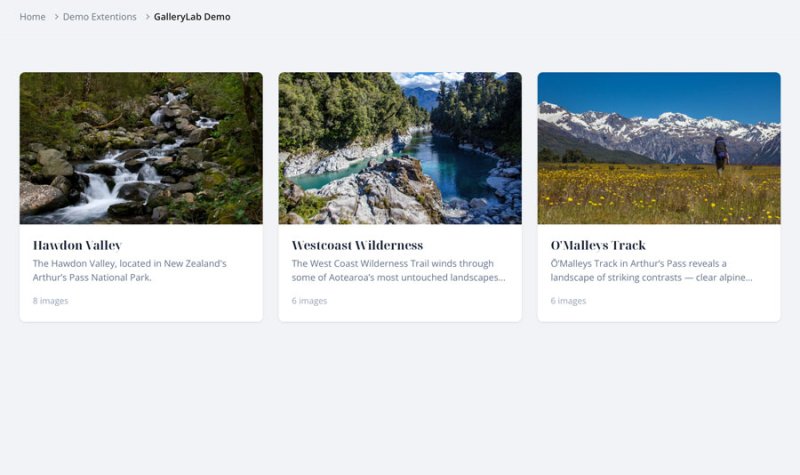
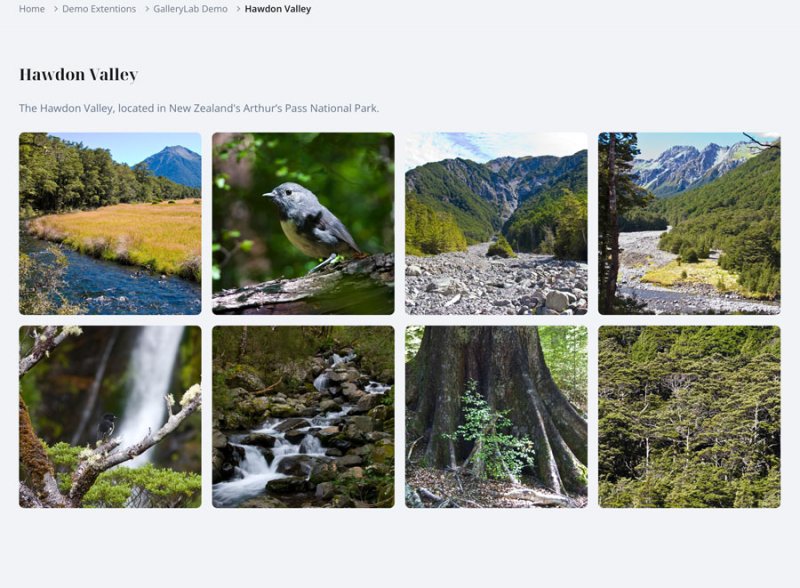
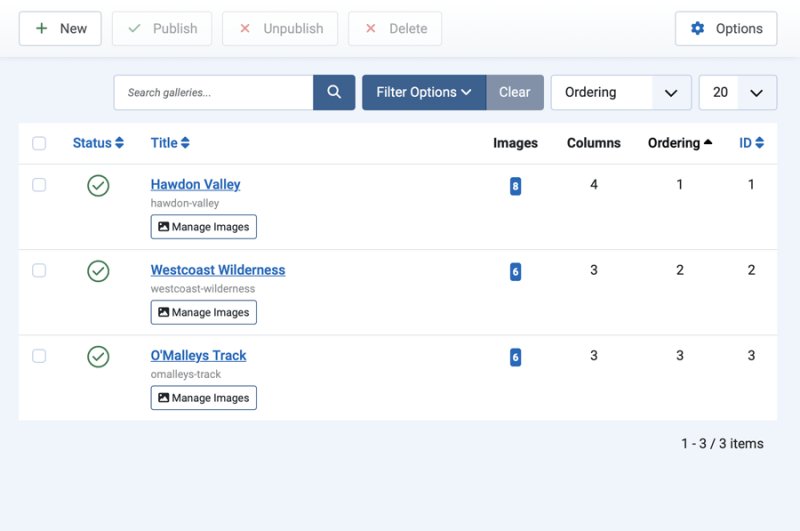
From gallery creation to frontend display, GalleryLab provides a complete, streamlined experience for managing and showcasing images.
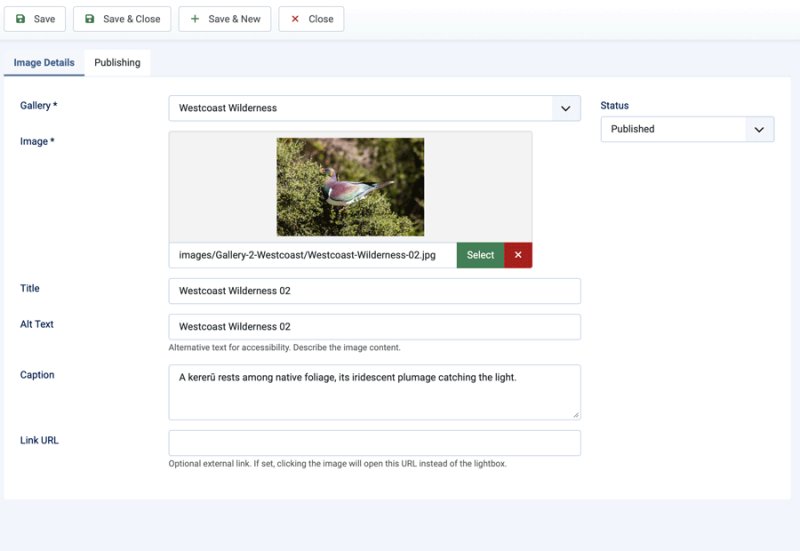
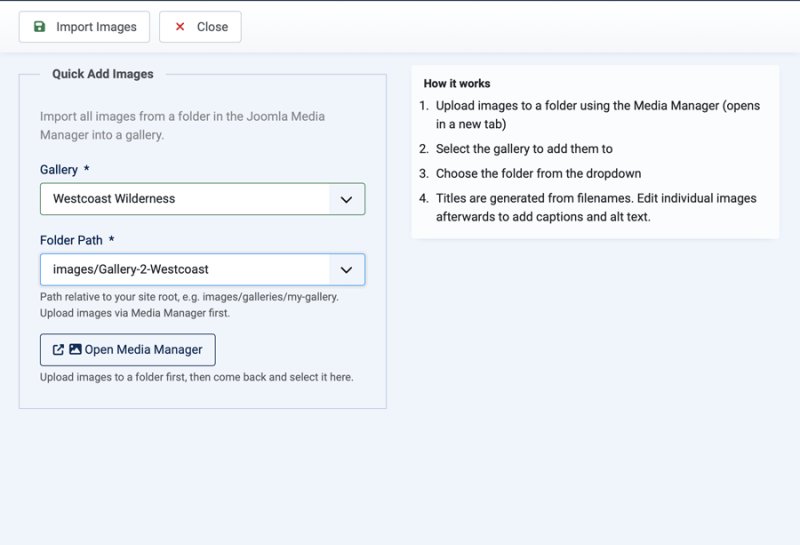
Who It’s For
- Photographers and creatives — showcase portfolios in a clean, professional layout
- Businesses with projects or case studies — display work visually with minimal setup
- Agencies — add polished image galleries to client sites quickly
- Content creators and marketers — organise and present visual content clearly
Key Benefits
- Showcase images beautifully — clean grid layouts that adapt across all screen sizes
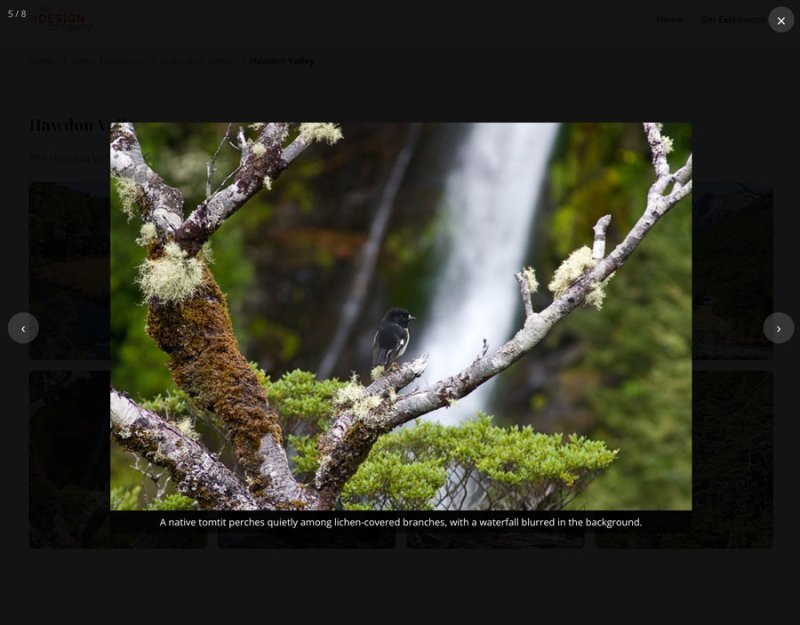
- Engage visitors with a smooth lightbox experience — full-screen viewing with easy navigation and captions
- Set up galleries quickly — create and publish image galleries in just a few steps
- Keep everything organised — manage multiple galleries with their own display settings
- Improve performance automatically — native lazy loading helps keep pages fast
- Stay lightweight and fast — no frameworks, no dependencies, just clean Joomla-native code
Key Features
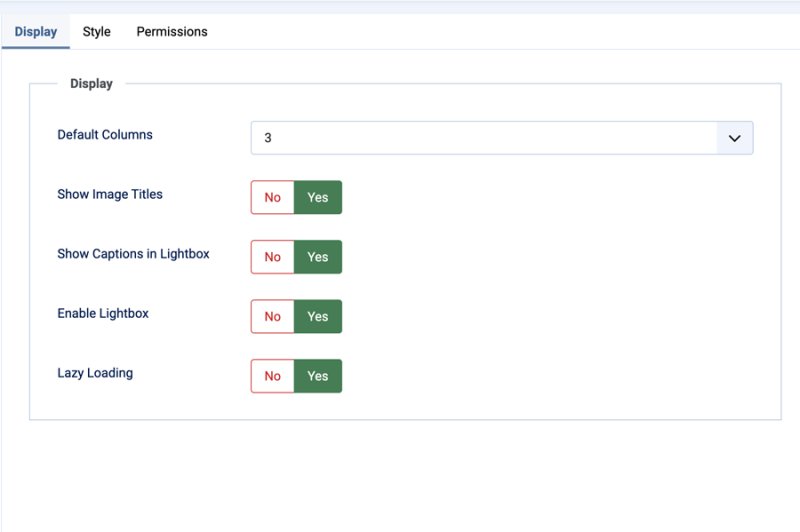
- Responsive Grid Layout — configurable columns with layouts that adapt across desktop, tablet, and mobile
- Built-in Lightbox — full-screen image viewing with smooth navigation
- Lightbox Captions — display image titles or captions directly in the viewer
- Hover Effects — add subtle visual effects for a more polished gallery experience
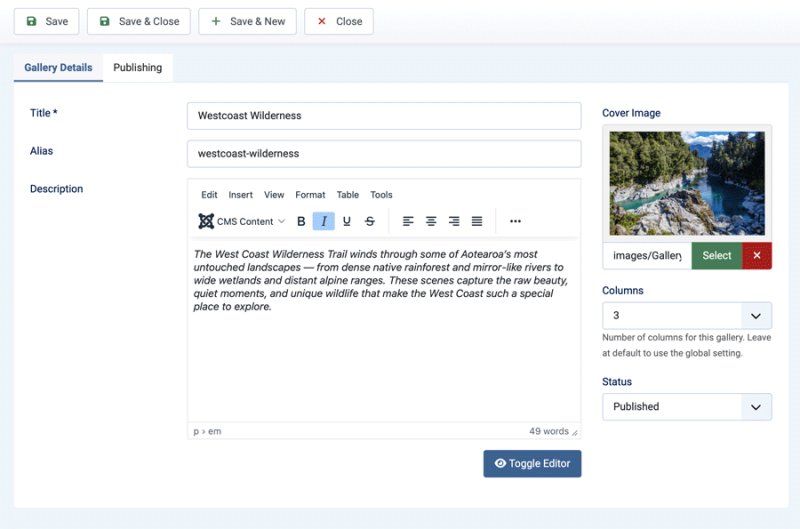
- Multiple Galleries — create and manage separate galleries with individual settings
- Gallery Listing View — display galleries as cards with cover images and image counts
- Easy Embedding — publish galleries where needed across your Joomla website
- Quick Add from Media Manager — import all images from a Media Manager folder into a gallery in one step, with automatic 400px thumbnail generation for faster grid loading
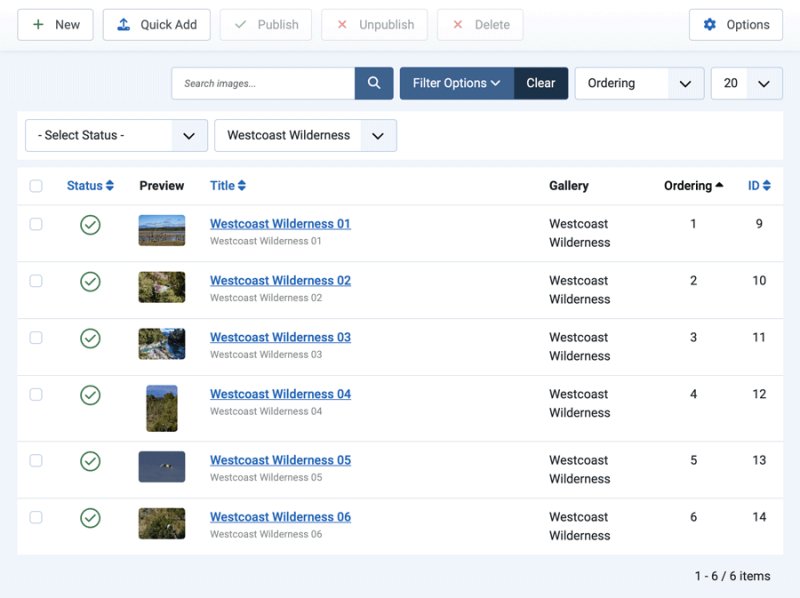
- Drag and Drop Ordering — reorder images easily within each gallery
- Lazy Loading — improve frontend performance with native image lazy loading
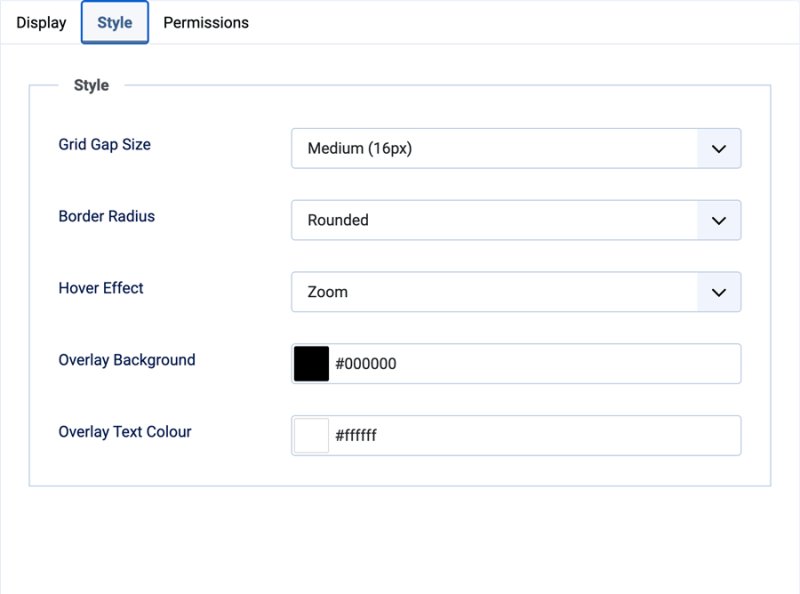
- Style Options — adjust spacing, border radius, and overlay presentation
How It Works
- Create a new gallery and add a title and optional description
- Add images or import them from your Joomla Media Manager
- Configure the layout and display settings for the gallery
- Publish the gallery on your site or place it where needed
- Visitors browse images in a clean grid and open them in the lightbox
Free vs Pro
| Feature | GalleryLab Free | GalleryLab Pro |
|---|---|---|
| Joomla 5 and 6 support | Yes | Yes |
| Responsive gallery grid | Yes | Yes |
| Gallery listing page | Yes | Yes |
| Lightbox viewing | Yes | Yes |
| Quick Add from media folders | Yes | Yes, with preview, subfolder scanning, and duplicate handling |
| CSV import for image details | No | Yes, with sample CSV download, preview, and matched-row updates |
| Free-to-Pro import | No | Yes |
| Image tags and filtering | Limited | Yes |
| Mixed media/video support | No | Yes |
| Masonry and justified layouts | No | Yes |
| Showcase slideshow module | No | Yes |
| Showcase slider module | No | Yes |
| Showcase carousel module | No | Yes |
| Featured showcase module | No | Yes |
| Custom CSS per gallery | No | Yes |
| Social sharing | Basic | Yes |
| Licence-protected updates | No | Yes |
Releases
Improved detection of the selected gallery filter so drag reordering is enabled reliably across Joomla admin list states
Fixes
- Reordering is now only available after selecting a single gallery in the image list, preventing cross-gallery order collisions
- Autosave now preserves the visible page's existing order range, preventing later pages from being renumbered from 1
What's New
- Image ordering now saves automatically after drag-and-drop reordering in the admin image list, removing the need to click a separate Save Order button
- Added inline save status feedback so users can see when the new image order is saving or saved
- Fixed shortcode lightbox labels, including the image counter, showing untranslated language keys when GalleryLab is embedded in another component's content
- Added an optional
title=0shortcode setting to hide the gallery heading while retaining the gallery description, images, and lightbox — for example,{gallerylab 1 title=0}
Changelog
- Automatic thumbnail generation on Quick Add — a 400px JPEG thumbnail is created for each imported image and stored in a `thumbs/` subfolder alongside the originals. The grid view loads thumbnails for faster page loads; the lightbox opens the full-size image
- Gallery pre-selection in Quick Add and New Image — if a gallery is selected in the image list filter bar, that gallery is pre-selected when opening Quick Add or creating a new image
- Toggle display fix — Yes/No toggle switches in component options now correctly show green on the right for Yes and grey on the left for No
- Drag-and-drop image reordering in admin — filter the image list to a single gallery, drag rows into order, and click Save Order
Changelog
- Drag-and-drop image reorder in admin
- Gallery URLs now use the gallery alias instead of the numeric ID for cleaner, SEO-friendly permalinks (e.g. `/galleries/gallery/5:my-gallery`)
- Breadcrumb pathway now correctly shows the gallery list as a parent when viewing a single gallery
Initial release of GalleryLab, a lightweight image gallery component for Joomla 5 and 6. Create responsive grid galleries with a built-in vanilla JS lightbox, hover effects, and flexible display options. Embed galleries anywhere using the {gallerylab ID} shortcode.
Changelog
- Responsive grid layout with configurable columns (2–6) and automatic mobile breakpoints
- Per-gallery column override independent of the global default
- Vanilla JS lightbox with keyboard navigation, touch swipe, image counter, and focus trapping
- Lightbox captions displayed directly below the image
- Hover effects: Zoom, Fade, or None
- Image title overlay on hover with configurable background and text colour
- Gallery listing view showing all galleries as cards with cover images and image counts
- Two menu item types: Gallery (single gallery) and Galleries (listing)
- Content plugin for embedding galleries via {gallerylab ID} shortcode
- Quick Add: import all images from a Media Manager folder in one step
- Optional external link per image (opens instead of lightbox)
- Per-image alt text for accessibility
- Per-image captions for lightbox display
- Drag-and-drop image reorder in admin
- Native lazy loading on all gallery images
- Gallery cover image shown in listing view
- Configurable style options: grid gap, border radius, hover effect, overlay colours
- Admin CRUD for galleries with search and status filter
- Admin CRUD for images with gallery filter and search
- Vanilla CSS and JavaScript with zero third-party dependencies
- Joomla 5 and 6 compatible